Last month, my team got a production issue because we did a service movement from one cluster to another cluster. The problem was that the previous outbound was expected to use the HAProxy; however, we forgot to change it from FQDN. The problem I want to highlight wasn’t the timeout itself, but due to the service being scaled up to the maximum number of pods, and we got an alert afterwards. If we didn’t randomly assign the timeout itself, we may cater for it faster, and we won’t waste our resources on doing the outbound until it reaches the maximum pods.
If you read my article about network topology here, there was another thing Sanjay asked about: the latency of the service. During the tech assessment, when he joined for the first time, he asked us about our latency. Clearly, we were confident that our latency was less than 100ms per call. We have an SLA to ensure the API call is under 100ms. Unfortunately, he mentioned he didn’t really care about the latency in the backend, which he was concerned was the latency in the gateway. I was confused. What’s the difference? The number should be more or less the same.
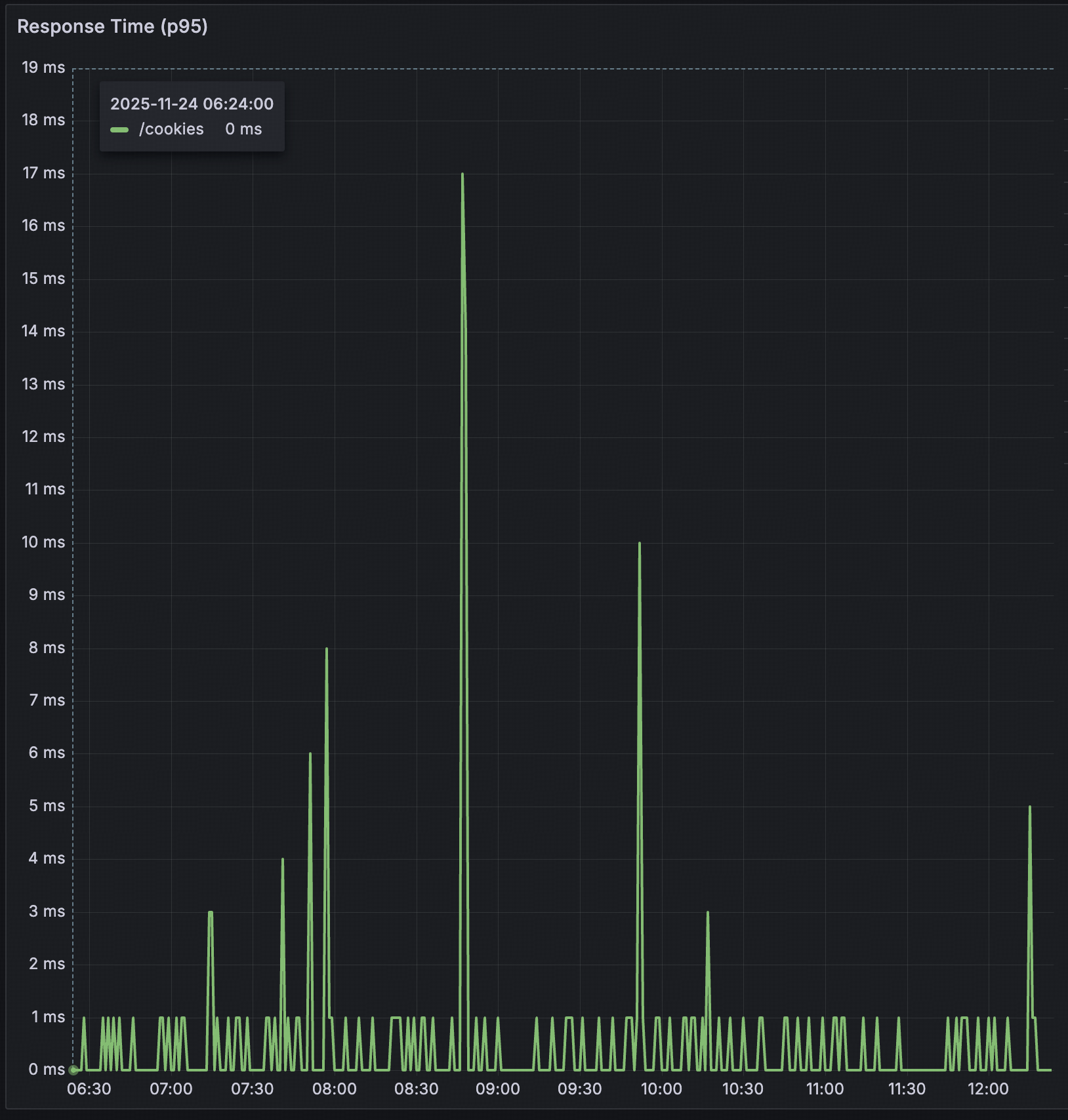
I shared the metrics from one of the deprecated API as an illustration only, lol. I can’t share the details as it’s confidential. However, based on the graph, there is an additional latency of 5-10ms per call. If you read my previous article about the topology, it is because the number of hops before the traffic reached the backend itself. Another factor that might be adding more latency is that the hops may not only pass through the single service, but they may also pass traffic through multiple services. So traffic from single services may impact other services that don’t have so much traffic.
Now, back to the main topic, how do we manage the outbound timeout? I’ll use Java for code illustration, but the fundamentals should be the same for all programming languages.
http.api.host=https://xyz.com
http.api.connectTimeout=4000
http.api.readTimeout=4000In order to do outbound, there are 3 minimum components we need to be aware of:
- Host: It’s used for calling the downstream or destination URL.
- Connect Timeout: it’s used for pinging the downstream to make sure we can reach it.
- Read Timeout: It’s used for waiting for the response when we start connecting with the downstream.
We have another call writeTimeout, but in this case, we focus on the read one. The fundamentals will stay the same. If you see the snippet above, I put the timeout is 4000ms (it’s in milliseconds, you can use seconds if it’s needed, depends on your code). Imagine this, your API in your service relies on the outbound due to some reasons. If you add the timeout like this, the maximum your service will wait for a connection will be 4000ms. After that, it depends on the situation; you may be able to start reading the response, or you can’t connect. Let’s say it can connect, but it takes another 4000ms to wait until the response is done. Once again, even after you wait 4000ms, there is still a chance the response hasn’t finished yet until 4000ms.
Imagine your application needs to serve more than 1000 RPM for this specific API. If you’re using Java, your thread will choke, the CPU will increase, the latency will spike and worst, your application might crash. It’s only because you don’t manage the timeout well. How do we minimise the issue, as some API require the response from the downstream, and what’s the baseline for choosing the right timeout? There are 2 things we need to handle: the timeout issue and understanding the downstream itself.
Choosing the baseline for timeout.
http.api.connectTimeout=4000
http.api.readTimeout=4000If you see the code below, most of the engineers just use their instinct to put the number for both connect and read timeout. It’s not proper as different API might have different latencies. We should aim to use p95 for the timeout, and we should add more buffer for the room to breathe. The buffer may be different depending on the situation. The situation will be referred to the downstream case below. For the connect, the maximum should be 50% of the read timeout value, as putting too long is not preferred.
The Timeout Case
A timeout can happen anytime; if it happens, then we should handle it with the default response. The default response might differ depending on business needs, especially if your application relies on the response. For example, if you need to call the payment gateway and then the payment gateway doesn’t respond for a specific time. You need to prepare the default response so the consumer who consumes that API will know if there was an issue with the downstream.
Understanding the downstream Case
There are multiple types of outbound:
- Public API.
- Front End API.
- Service to service API.
- Service with a different deployment.
- Service with the same deployment but a different cluster.
- Service under the same cluster.
Public API
It’s used when you have integration with 3rd party when you don’t have any control over the API. The API call is made through the public internet itself. So we can’t put the connect and read timeout too low, as it goes through the public internet. The typical case when you connect with a public API will be limited. There won’t be any case where you have a frontend application, but most of the API calls are made through 3rd party, or you have a backend service where every API in the service will have 2 or 3 more outbound calls to the 3rd party. So in this case, the configuration may look like this:
http.api.host=https://xyz.com
http.api.connectTimeout=1000

http.api.path.x=/a/x
http.api.readTimeout1.x=4000

http.api.path.y=/a/y
http.api.readTimeout1.y=2000

http.api.path.z=/a/z
http.api.readTimeout1.z=3000You will need to define the path first, and then every path should have its own timeout based on the baseline we discussed above. However, the connect timeout will use a single configuration that can use a maximum of 50% of the minimum read timeout. Once again, you can’t use too low for the read as it will go through the public internet, 1000ms may become the baseline for the latency. If you want to be sure, you can ask p95 to the respective public API owner.
Frontend API
It’s used when you have customer-facing (including apps) / dashboard integration with your own backend service. This time, you have control as the frontend and backend will be hosted in the same server/cluster/cloud provider. There is a case when frontend or backend might be in a different cloud provider, but it will be very rare. It should be for a disaster recovery plan if we want to do that. There might be a different behaviour as the integration with the backend API will be very much, so the same approach with the public API may not be chosen. The configuration will be like this:
http.api.host=https://xyz.com
http.api.connectTimeout=1000
http.api.readTimeout=2000Now there is a difference here, as in the frontend, there will be 2 approaches, which are CSR (Client Side Rendering) and SSR (Server Side Rendering). We can consider that the apps (Android and iOS) will use the CSR, so the api call will be through the public internet via the API gateway. If we go through the public, then the timeout we need to set will be slightly higher, instead of going through an internal call. When we use SSR, as it will work like a Backend-to-Backend call, we can use the internal call. The configuration will be like this:
/* via public call */
http.api.host=https://xyz.com/gateway
http.api.connectTimeout=1000
http.api.readTimeout=2000

/* via internall call */
http.api.host=https://internal-xyz.com/gateway
http.api.connectTimeout=100
http.api.readTimeout=1000If we go through the internal call, we will benefit from the service, our call will be very quick because it’s under the same environment. It will not go through public internal, so that’s why we can set the connect and read timeout very short. However, the read timeout value will depend on the API latency itself, and we still follow the p95 baseline, which can almost have the same latency as the backend service itself, because the network is under the same environment. For example, api A will have 100ms latency for the p95, then if we want to set the timeout, we can use 150ms or 200ms. If we go through the public internet, we may need to set like to 500ms or even 1000ms.
Service to service API
It’s for the backend-to-backend service or SSR, as mentioned above. We should avoid calling through the public internet as it will add another latency. You can read my post about network topology here. Some companies have already wrapped up the host at the infra level, so from the service pov, we will only use a single host. However, we need to know what actually happens behind the door. The configuration will be like this:
/* via load balancer */
http.api.host=https://internal-lb-xyz.com
http.api.connectTimeout=50

http.api.path.x=/a/x
http.api.readTimeout1.x=100

http.api.path.y=/a/y
http.api.readTimeout1.y=100

http.api.path.z=/a/z
http.api.readTimeout1.z=200

/* via ingress call */
http.api.host=https://ingress-lb-xyz.com
http.api.connectTimeout=50

http.api.path.x=/a/x
http.api.readTimeout1.x=50

http.api.path.y=/a/y
http.api.readTimeout1.y=100

http.api.path.z=/a/z
http.api.readTimeout1.z=100

/* via kubedns */
http.api.host=https://ingress-lb-xyz.com
http.api.connectTimeout=50

http.api.path.x=/a/x
http.api.readTimeout1.x=200

http.api.path.y=/a/y
http.api.readTimeout1.y=100

http.api.path.z=/a/z
http.api.readTimeout1.z=150It almost looks like a public API call, but the difference, we can use a very short timeout because it’s under our control and our environment. It’s better to have a separate config read timeout per path, as different API will have different latencies. Once again, our baseline is to go with p95 and add some buffer, but this time, we don’t need too much buffer as it’s a very short hop and an internal call.
With the understanding of how we put the right timeout value and the environment itself, the chance of a timeout always being there, but we can avoid the unwanted problem like application crashing or even unnecessary cost because the application tries to wait for a problematic service, but it will scale up crazily until the server crashes.
